

To tell if a website is custom built, view the page source and look for platform fingerprints: a meta generator tag, file paths like /wp-content/, or images served from static.wixstatic.com or images.squarespace-cdn.com. Then run the address through a free tool like BuiltWith or Wappalyzer. If no builder or theme shows up and the layout doesn’t match a known template, the site was likely designed and built for that business.
That tells you what a site runs on. Whether it’s truly custom is a second question, because a content management system like WordPress can run a fully custom design. Below are the seven checks we use, what each one proves, and why it matters when you’re hiring someone to build your website.
Why would you want to know if a site is custom?
Most people ask this for one of three reasons:
- You’re hiring an agency and want to see whether the sites in its portfolio were custom designed or built from templates.
- You inherited a website and need to know what it runs on before you change anything.
- You admire a competitor’s site and want to know what it would take to build something similar.
The answer affects cost, ownership and what you can change later. A site built on Wix, for example, can only run on Wix. Wix’s help center says your site “needs to be hosted and operated on Wix’s servers”. That’s useful to know before you pay someone to “build” it for you.
Check 1: View the page source
Every browser lets you see the HTML behind a page. On a desktop, right-click anywhere on the page and choose View Page Source, or press Ctrl+U on Windows or Cmd+Option+U on a Mac in Chrome. A new tab opens with the code. Press Ctrl+F or Cmd+F to search it.
You don’t need to read code to use this. You’re searching for a few words that platforms leave behind.
Check 2: Look for a meta generator tag
Many platforms add a generator meta tag near the top of the page that names the software. MDN’s HTML reference describes it as the identifier of the software that generated the page. Search the source for “generator”.
When we checked the platforms’ own websites while writing this, we found:
- Wix:
<meta name="generator" content="Wix.com Website Builder"> - WordPress:
<meta name="generator" content="WordPress 7.x">(WordPress adds this by default, though many developers remove it) - Webflow:
<meta content="Webflow" name="generator">
Squarespace doesn’t always use a generator tag, but its pages included the comment “This is Squarespace.” in the source.
A missing generator tag doesn’t prove a site is custom. Developers often strip it out for security or tidiness. It’s one clue, not a verdict.
Check 3: Search for platform file paths and image URLs
This is the most reliable manual check, because platforms serve images, scripts and styles from their own addresses. Search the page source for these strings:
| What you find in the source | What it usually means |
|---|---|
/wp-content/ or /wp-includes/ | WordPress |
static.wixstatic.com | Wix |
images.squarespace-cdn.com or static1.squarespace.com | Squarespace |
cdn.shopify.com | Shopify |
website-files.com | Webflow |
img1.wsimg.com | GoDaddy hosted tools, often its website builder |
| None of the above | Possibly a custom build, a less common platform, or a headless setup |
You can also right-click an image, choose Open image in new tab, and look at the address bar. If the image lives on wixstatic.com or squarespace-cdn.com, you know the platform.
On WordPress sites, the path often names the theme too. Something like /wp-content/themes/astra/ points to a popular commercial theme, while a folder named after the business, like /wp-content/themes/acme-roofing/, suggests a custom theme. That’s a strong hint about whether the design was custom or bought off the shelf.
Check 4: Run it through BuiltWith or Wappalyzer
If you’d rather not read source code, free lookup tools do the work for you.
- BuiltWith shows the technologies a site uses, including its CMS, hosting, analytics and ad tools. Enter the address on its homepage.
- Wappalyzer does the same thing and offers a browser extension that shows the technology stack of any page you visit.
Both tools detect platforms by matching known fingerprints, the same kinds of clues covered above. They’re very good at spotting Wix, Squarespace, Shopify and WordPress, and they’ll often name the WordPress theme and plugins. They can’t tell you whether a WordPress theme was custom designed, and they sometimes miss custom builds on newer frameworks or report them only as a hosting provider.
Check 5: Read the footer and the URL patterns
Scroll to the bottom of the page. Builder sites on free or lower plans may show a “Powered by” credit. Agency-built sites often carry a “Website by” credit with the agency’s name, which tells you who to ask.
Then look at the addresses of the pages themselves. A few patterns give platforms away:
- Free builder addresses like
yourname.wixsite.com/siteoryourname.squarespace.commean the site hasn’t connected its own domain yet. Wix’s free URL format issiteprefix.wixsite.com/siteaddress. - Shopify stores usually use
/products/,/collections/and/pages/in their URLs. - WordPress sites sometimes show
?p=123style links or/category/and/tag/archives.
None of these is proof on its own, but together with the source code they paint a clear picture.
What if every check comes back empty?
Sometimes the source has no generator tag, no platform paths and no builder image addresses, and BuiltWith only reports a hosting company. That usually means one of three things. The site may be custom coded or built on a modern framework that doesn’t announce itself. It may be a headless setup, where a CMS stores the content but a separate custom front end displays it. Or it may run on a smaller platform the tools don’t recognize yet.
In all three cases, the design and front-end code were most likely built for that business. To confirm, look at the design tells below and ask whoever built it.
Check 6: Look for design tells
Templates leave visual patterns. After you’ve seen a few hundred small business websites, they’re easy to spot:
- The hero section, three feature boxes and testimonial slider appear in the exact same order as on dozens of other sites
- Placeholder text or stock demo images survive on inner pages
- Every page uses the same layout with only the text swapped
- Menus, buttons and forms look exactly like the platform’s defaults
- The mobile layout simply stacks the desktop sections in order
A custom site usually looks different because it was planned around one business. Service pages are structured for how that business sells. The calls to action match how its customers decide. Photos are real, not stock.
Design tells are the least reliable check, because a skilled designer can make a template look original and a weak developer can make a custom build look generic. Use them alongside the technical checks.
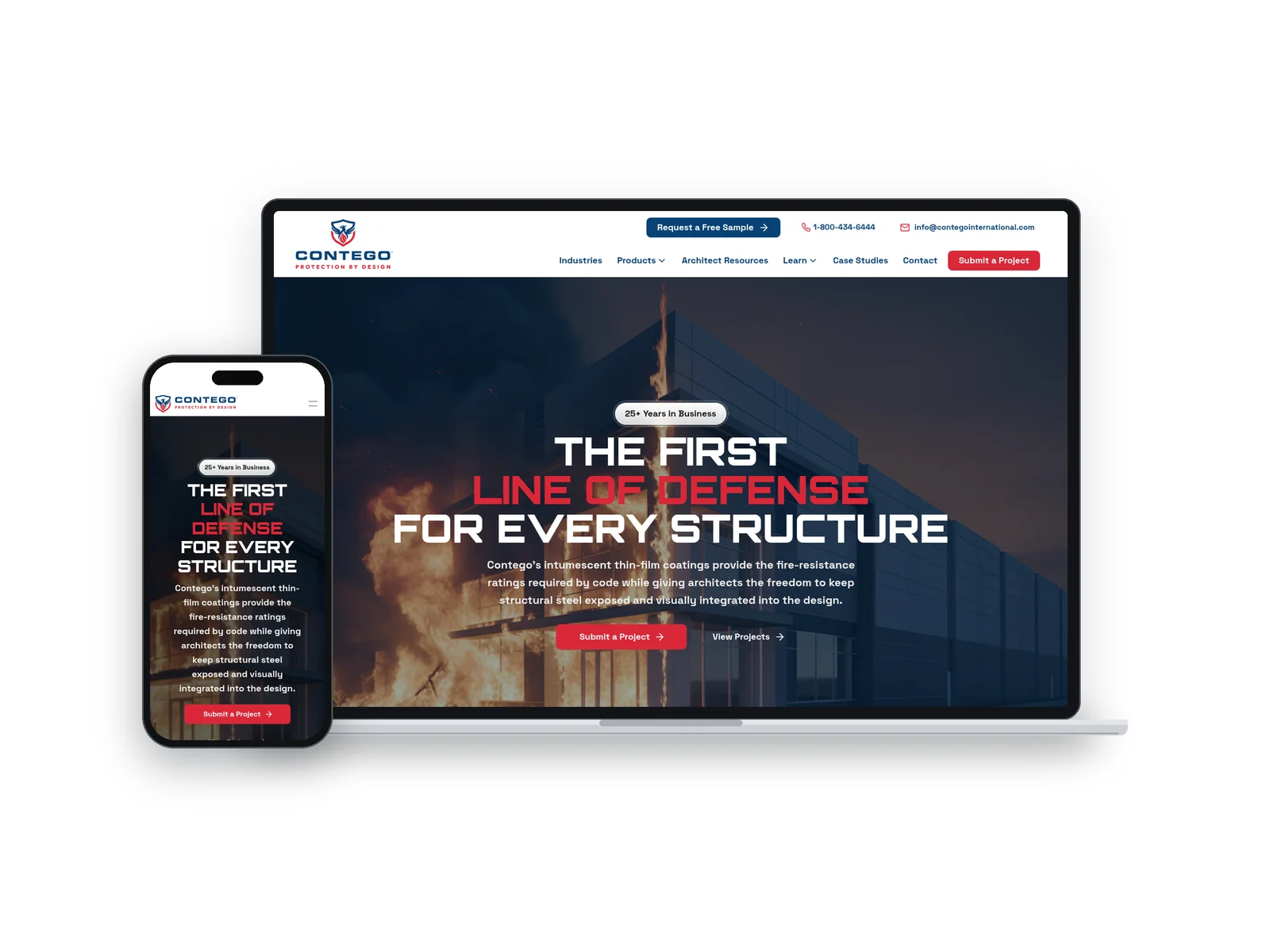
A custom website we designed and built for Contego International.
Check 7: Ask the business or agency directly
The fastest check is often a question. If you’re evaluating an agency, ask which sites in its portfolio it designed from scratch, and what platform each one runs on. A good agency answers without hesitation.
A CMS can still run a custom design
This is where most people get confused. Finding WordPress, Webflow or another CMS in the source tells you which software manages the content. It doesn’t tell you whether the design was custom.
There are three common setups:
- Template on a builder. A Wix, Squarespace or GoDaddy template with the text and photos swapped. Fast and affordable, but limited to the platform.
- Theme on a CMS. A WordPress site running a commercial theme, sometimes heavily modified. More flexible, but built on a design made for many businesses.
- Custom design. A site planned and designed for one business, then built either as a custom theme inside a CMS or with code on a modern framework.
So “WordPress” and “custom” aren’t opposites. W3Techs reports that WordPress runs about 39.5% of all websites, and that includes everything from free themes to fully custom builds for large companies. Our comparison of custom websites vs template sites goes deeper on the trade-offs.
Why this matters when you hire an agency
Knowing how to check what a site is built on protects you from paying custom prices for a template, and from signing up for a site you can’t take with you. Before you hire anyone, ask:
- What will my site be built on? A builder, a CMS theme, a custom theme or custom code?
- Is the design custom or based on a template? Ask to see the portfolio sites and check them yourself with the steps above.
- Who owns the website and code? Get it in writing, including what happens if you leave.
- Whose name is on the domain account? It should always be the business. If the agency registers it, make sure you’re listed as the registrant and have your own login.
- Who controls hosting, analytics and Google accounts? These should be in your business’s name too.
- Can I move the site later? On Wix, you can’t export the site to another host. On Squarespace, you can export only certain content to WordPress.
Our guide to how to choose a marketing agency has more questions worth asking. If you’re still deciding between a do-it-yourself builder and a professional build, read website builder vs custom website.
Frequently asked questions
How can I tell if a website is built on WordPress?
View the page source and search for “/wp-content/” or a generator tag that mentions WordPress. BuiltWith and Wappalyzer will also report WordPress and often the theme name.
How do I know if a website is Wix or Squarespace?
Search the page source for “wixstatic.com” for Wix, or “squarespace-cdn.com” and “This is Squarespace” for Squarespace. You can also open any image in a new tab and check the address.
Is a WordPress website a custom website?
It can be. WordPress is the software. A WordPress site with a custom-designed theme is custom. One running a commercial theme with swapped text is a template site.
Are BuiltWith and Wappalyzer accurate?
They’re accurate for common platforms because they match known fingerprints. They can miss custom builds on newer frameworks, and they can’t judge whether a design was made from scratch.
Does it matter if my website is custom built?
It matters most if your website needs to win searches and leads in a competitive market, or if you want the freedom to move hosts later. Our guide on whether custom websites are worth it covers when the investment pays off.
Want a custom site you actually own?
Every website we build is custom, never templated, and SEO and AI SEO ready from day one. You work directly with me and our tight-knit team, we help you set up and connect your domain in your business’s own account, and managed website clients own their website after the first year. Learn more about our custom websites for service businesses, or book a discovery call and we’ll review your current site with you.